New feature: subscribing to websites without feeds
It's now possible to subscribe to websites that don't have an RSS feed.
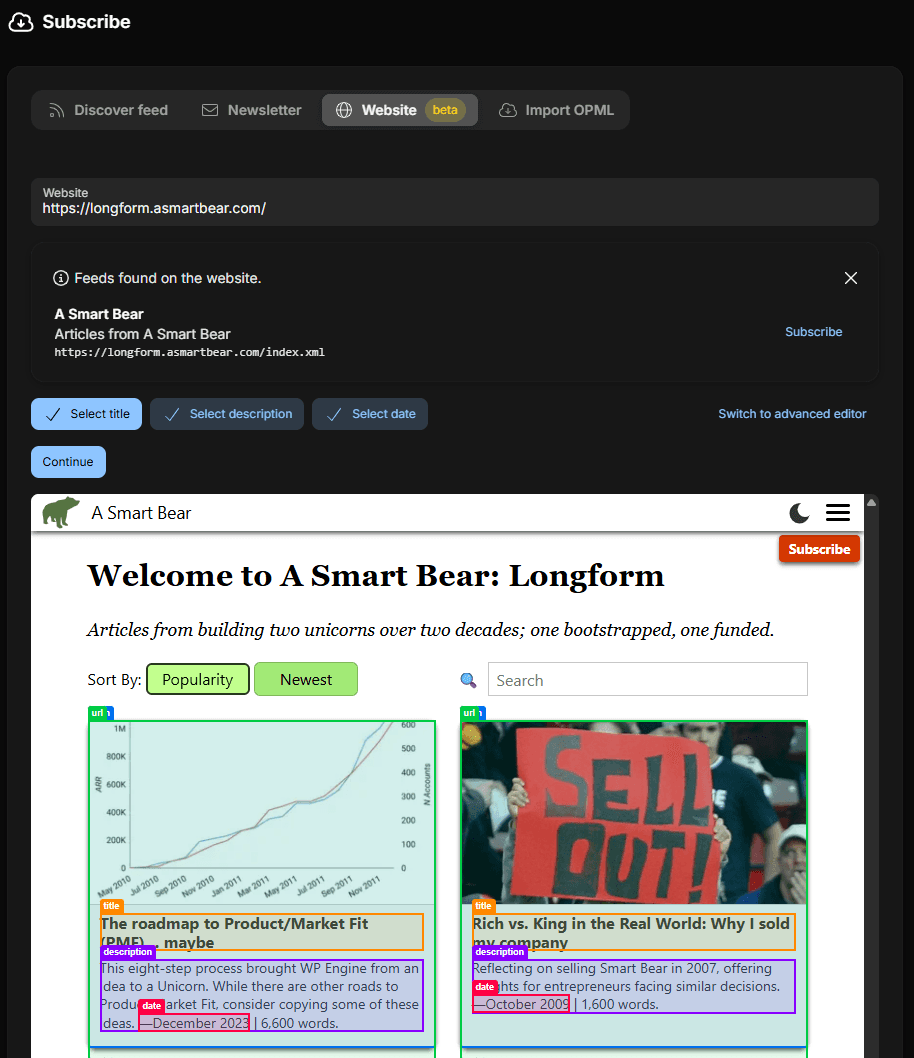
In the subscribe page select Website and enter the URL of the website you want to subscribe to. If the website provides a feed, Lighthouse suggests to use that feed. If you don't want to use the feed you can close the panel with the X on the top right.
Lighthouse also tries to determine which links on the page are articles. If it finds a clear candidate, it automatically creates selectors and highlights articles.
It can happen that automatically found items are incorrect. In that case it's possible to correct them by clicking on the respective Select button and choosing the right element.
If Lighthouse cannot determine the articles automatically, they must be selected. The title is mandatory, description and date are optional. Lighthouse tries to find additional elements during manual selection as well. If the title is selected, and the date or description can be determined from there, Lighthouse will automatically add them.
On the technical side it works with CSS selectors. Automatic or manual selection are both ways to create the selectors without writing them yourself.
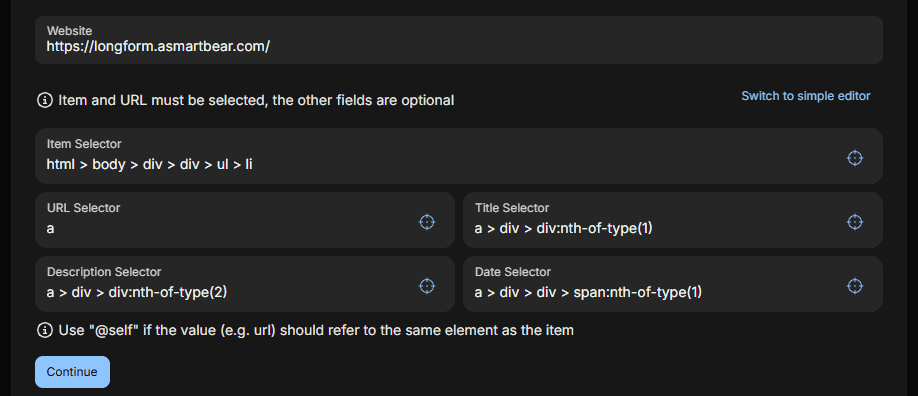
The advanced mode is an escape hatch. There it's possible to write the selectors yourself. This is rarely necessary, but useful for cases when are more complex selection is required.
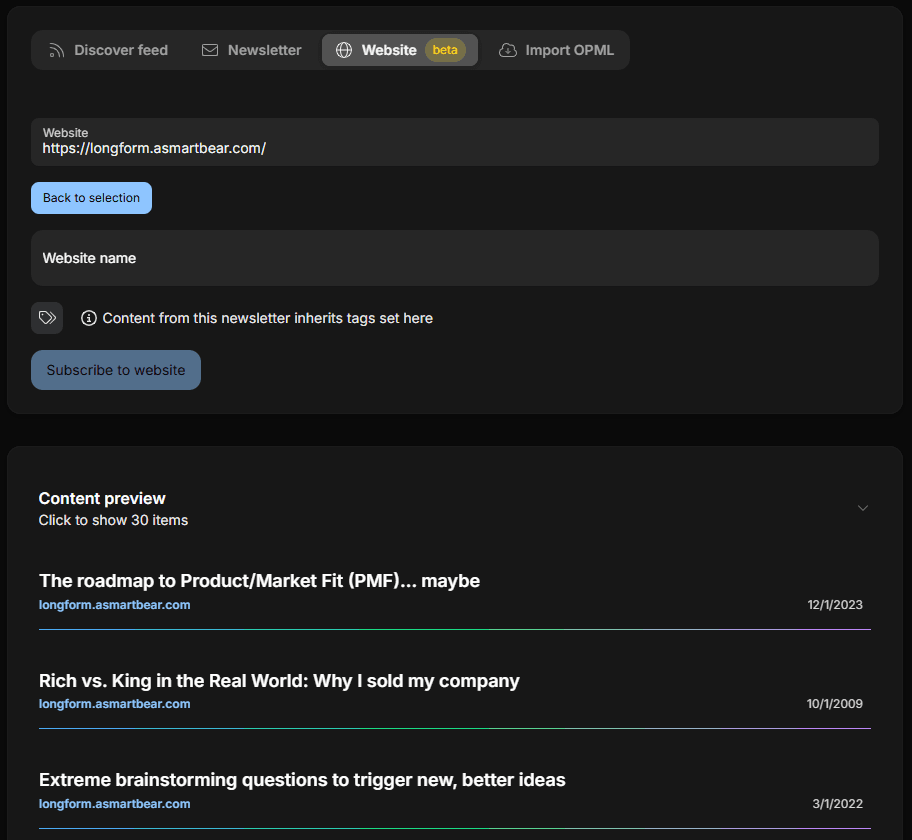
When the selection is done, click the Continue button. This hides the selectors and page preview. Then the preview of items is shown, so it's possible to double-check that the right ones are selected.
The last step is to give it a name and optionally tags.
Then Subscribe to website and from then on new articles from the website will be delivered to your Lighthouse inbox.